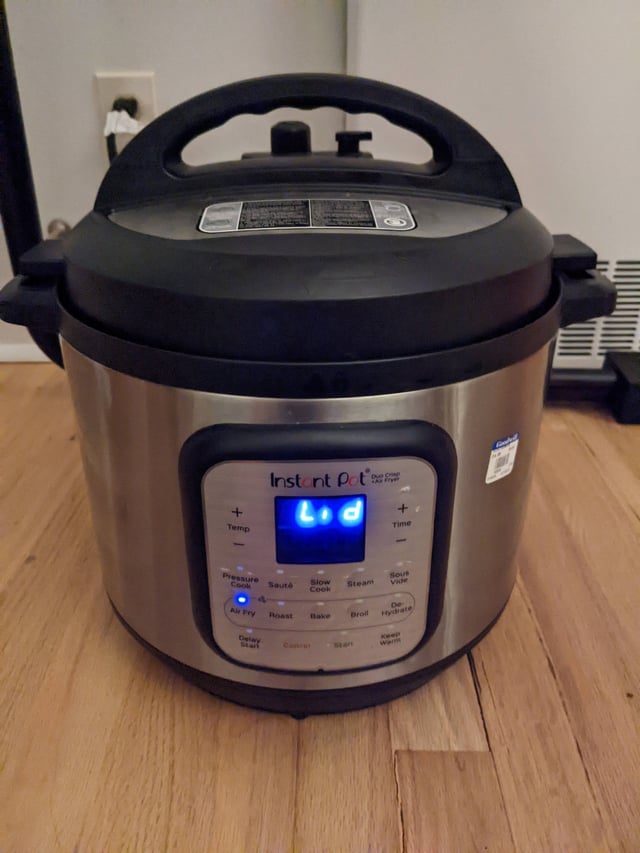
Are you facing trouble with your Instant Pot Duo? Don’t worry; you’re not alone.
At times, these handy kitchen gadgets need a little reset to get back on track. Whether it’s a minor glitch or you’re preparing to cook something new, knowing how to reset your Instant Pot Duo can save you time and stress.
Imagine diving into a world where your Instant Pot works flawlessly, making meal preparation effortless and enjoyable again. Curious about how you can achieve this? Keep reading to discover the simple steps that will have your Instant Pot Duo up and running smoothly in no time.
Instant Pot Duo Basics
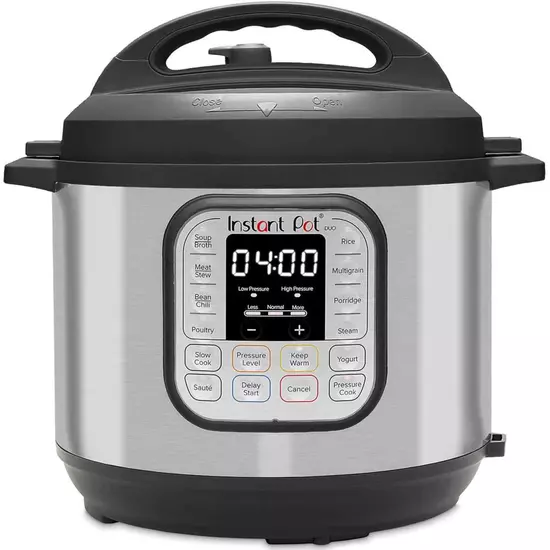
The Instant Pot Duo is a popular kitchen appliance for quick and easy cooking. It combines multiple cooking functions in one device. Understanding its basics helps you use it safely and effectively. Knowing key features and controls makes resetting the Instant Pot easier when needed.
Key Features
- Seven-in-one appliance: pressure cooker, slow cooker, rice cooker, steamer, sauté pan, yogurt maker, and warmer
- Stainless steel inner pot for even heat distribution
- LED display panel shows cooking status and time
- Safety lid lock and pressure release valve for secure cooking
- Customizable cooking programs for different meals
- Automatic keep-warm function after cooking finishes
Common Controls
- Manual/Pressure Cook button to set cooking time and pressure level
- Delay Start button to schedule cooking later
- Sauté button for browning or frying ingredients
- Keep Warm button to maintain food temperature after cooking
- Cancel button to stop or reset cooking programs
- Pressure Release Valve to safely release steam

Credit: www.scribd.com
When To Reset Your Instant Pot
Knowing when to reset your Instant Pot Duo helps keep it working well. Resetting can fix small problems and clear errors. It improves your cooking experience and avoids bigger issues. Pay attention to how your Instant Pot behaves. Certain signs tell you a reset is needed.
Signs Of Malfunction
- The display screen freezes or stops responding.
- Buttons do not react when pressed.
- The pot does not build pressure as usual.
- Unusual noises or smells come from the appliance.
- The cooking cycle stops suddenly without finishing.
- The Instant Pot heats up but does not cook properly.
Error Codes To Watch
| Error Code | Meaning | Action |
|---|---|---|
| “C5” | Temperature sensor problem | Reset and check sealing ring |
| “C6” | Pressure sensor issue | Reset and clean pressure valve |
| “Lid” | Lid is not closed properly | Close lid firmly and reset |
| “OvHt” | Overheating detected | Turn off, cool down, then reset |
Simple Reset Methods
Resetting your Instant Pot Duo can solve many common issues quickly. Simple reset methods often fix unresponsive screens or incomplete cooking cycles. These methods do not require technical skills and take only a few moments. Use these easy techniques to get your Instant Pot working smoothly again.
Manual Reset Steps
Start by unplugging the Instant Pot from the power outlet. Wait at least one minute to clear the internal memory. Press and hold the “Cancel” button for about 10 seconds. This action resets the control panel and cancels any ongoing programs. Plug the Instant Pot back in and check if it powers on normally.
This manual reset can fix minor glitches and software bugs. It is safe and does not erase saved settings or presets.
Power Cycle Technique
Turn off the Instant Pot and unplug it from the wall. Leave it unplugged for a full five minutes. This pause allows the device to fully power down and reset its electronics. After five minutes, plug the Instant Pot back in and press the “Start” button.
This technique helps clear any temporary errors or frozen screens. It acts like a soft reboot for your Instant Pot Duo.
Troubleshooting Tips
Facing issues with your Instant Pot Duo can be frustrating, especially when you’re ready to cook. Troubleshooting helps you get back on track quickly without needing expert help. Let’s dive into common problems and how you can fix them effectively.
Lid And Seal Issues
If your Instant Pot won’t seal properly, check the silicone sealing ring first. Over time, it can warp, crack, or get greasy, causing steam to escape. Make sure the ring is clean, properly seated, and not stretched out.
Sometimes, food particles can block the steam release valve or float valve. Clean these parts thoroughly to ensure they move freely. If the lid doesn’t close or lock, confirm you’re aligning it correctly—twist until it clicks firmly.
Pressure Problems
Pressure problems often occur when the pot fails to build or maintain pressure. Start by verifying there’s enough liquid inside; the Instant Pot needs at least 1 cup of liquid to pressurize. Without it, the pot won’t work correctly.
Check if the steam release handle is set to the “Sealing” position. Many users forget this step, leading to pressure release instead of buildup. Also, inspect the float valve—if it’s stuck down, gently lift it to allow pressure to form.
Display Errors
Seeing error codes or a blank screen can be confusing. A simple reset often solves display glitches—unplug the Instant Pot, wait 30 seconds, then plug it back in. This can clear minor electronic hiccups.
If errors persist, verify the lid is locked and the sealing ring is in place. The pot won’t start if it detects safety issues. Lastly, check the power source and try a different outlet to rule out electrical problems.
Preventing Future Problems
Preventing future problems with your Instant Pot Duo starts with simple habits that protect its functionality and extend its life. Small actions taken regularly can save you time, frustration, and even costly repairs. Are you ready to treat your Instant Pot like the kitchen companion it is?
Proper Cleaning
Keeping your Instant Pot clean after every use is essential. Food residue or liquid trapped in the sealing ring or steam release valve can cause errors or malfunctions.
- Remove and wash the sealing ring with warm, soapy water. Avoid using harsh detergents that could degrade the material.
- Clean the steam release valve and float valve carefully, ensuring no bits are stuck inside.
- Wipe down the inner pot and outer housing with a damp cloth. Never immerse the base in water.
Have you noticed how a simple cleaning routine can prevent odd smells or pressure issues? It’s easy to overlook but makes a huge difference.
Regular Maintenance
Beyond cleaning, regular checks help catch small issues before they become big problems. Inspect your Instant Pot every few weeks to maintain peak performance.
- Check the sealing ring for cracks or wear and replace it if it’s stretched out or damaged.
- Test the float valve for smooth movement; it should pop up and down without sticking.
- Make sure the condensation collector is empty and clean to prevent water buildup.
Have you ever ignored a minor leak, only to find it caused a bigger mess later? Staying proactive keeps your Instant Pot reliable and hassle-free.

Credit: harubina.co.jp
When To Contact Support
Knowing when to contact support for your Instant Pot Duo can save time and frustration. Some problems require professional help beyond a reset or basic troubleshooting. Recognizing these issues early protects your appliance and ensures safety. Support teams offer the right guidance and solutions for complex problems. Below are key points to consider regarding warranty and repair services.
Warranty Information
The Instant Pot Duo usually comes with a limited warranty. This warranty covers defects in materials and workmanship. It does not cover damage from misuse or accidents. Check your product manual or receipt to confirm warranty length and terms. Keep these documents safe for easy reference.
- Most warranties last one year from the purchase date.
- Extended warranties may be available through the seller.
- Using unauthorized repair services can void your warranty.
- Contact support before attempting any major repairs yourself.
Repair Services
Official repair services provide safe and reliable fixes. They use original parts designed for your Instant Pot Duo. Repairs done by authorized centers maintain your appliance’s warranty. Support can help find a nearby service center or arrange mail-in repairs.
- Do not open the Instant Pot if it is still under warranty.
- Describe the problem clearly when contacting support.
- Keep a record of all communications and repair receipts.
- Follow support instructions carefully to avoid further damage.
Credit: www.instantpot.nl
Frequently Asked Questions
How Do I Reset My Instant Pot Duo Quickly?
To reset your Instant Pot Duo, unplug it from the power source. Wait for 30 seconds, then plug it back in. This clears any errors and resets the device for fresh use.
Can I Factory Reset My Instant Pot Duo?
No, the Instant Pot Duo does not have a factory reset option. Restarting by unplugging it resets temporary errors only.
Why Is My Instant Pot Duo Not Resetting?
If your Instant Pot Duo won’t reset, check the power supply. Ensure the cord and outlet work correctly. Faulty power can prevent resetting.
How To Reset Instant Pot Duo After Error Message?
When you see an error, press “Cancel. ” Unplug the pot, wait 30 seconds, then plug it back in. This clears the error and resets the device.
Conclusion
Resetting your Instant Pot Duo helps fix common issues quickly. Just follow the simple steps shared here. This keeps your cooker working well every time. Regular resets can improve cooking results. Remember to unplug and press the reset button carefully.
Now, enjoy hassle-free cooking with your Instant Pot Duo. Keep this guide handy for future use. Resetting is easy and saves time. Your kitchen tool stays reliable and safe. Try these steps whenever your Instant Pot acts up. Cooking becomes smooth again, just like new.